


Sacs cabas pouvant accueillir confortablement un ordinateur portable de 13 pouces
Si vous avez déjà acheté un sac fourre-tout « spacieux » en ligne et réalisé ensuite que votre ordinateur portable ne rentrait que en diagonale (ou pas du tout), vous connaissez déjà la vérité : spacieux est une ambiance, pas une mesure.
Ce guide est la mesure — pour que vous puissiez choisir des sacs fourre-tout qui s'adaptent à un ordinateur portable de 13 pouces et qui vous ressemblent toujours, et non pas comme si vous transportiez des bagages de bureau.
Sacs fourre-tout adaptés à un ordinateur portable de 13 pouces : le calcul de l'ajustement (rapide, pas compliqué)
Un sac fourre-tout « s'adapte confortablement » lorsque votre ordinateur portable glisse sans forcer les coins, sans dépasser la ligne de la fermeture éclair, et sans bouger pendant que vous marchez.
Pour une référence concrète : Apple indique que le MacBook Air 13 pouces mesure 11,97" de large × 8,46" de profondeur × 0,44" d'épaisseur dans ses spécifications techniques du MacBook Air.
Une règle pratique : visez un espace intérieur pour ordinateur portable d'au moins 12,25" de large × 8,75" de profondeur × 0,75" d'épaisseur.
Ce petit dégagement vous donne de la place pour :
une pochette rembourrée (ou un rembourrage intégré)
une entrée/sortie facile sans rayer les dents de la fermeture éclair
le fait que de nombreux sacs fourre-tout se rétrécissent vers le haut
Astuce de pro : Un sac fourre-tout peut être « grand » et rester un mauvais sac pour ordinateur portable s'il est non structuré. Vous voulez de l'espace avec une forme.
La liste de contrôle en 7 points pour un sac fourre-tout pour ordinateur portable que vous transporterez réellement
Si vous transportez un ordinateur portable de 13 pouces dans un sac fourre-tout, ces caractéristiques sont plus importantes que la marque sur l'étiquette.
1) Une zone protégée pour l'ordinateur portable (pas seulement une grande cavité vide)
Une poche ou une pochette dédiée empêche votre ordinateur portable d'être écrasé par votre bouteille d'eau et votre chargeur.
Les critères de Lenovo pour choisir un sac de travail soulignent les compartiments rembourrés pour ordinateur portable, les matériaux durables et les fermetures sécurisées dans son guide du sac de travail avec compartiment pour ordinateur portable.
Si votre sac ne possède pas de pochette intégrée, utilisez une pochette rembourrée mince pour ordinateur portable à l'intérieur — non négociable.
2) Un « faux fond » (ou au moins un rembourrage de base)
Si vous avez déjà posé votre sac un peu trop brusquement sur un quai de gare, vous comprenez déjà pourquoi c'est important.
Pack Hacker souligne la valeur d'un faux fond — suspendant l'ordinateur portable par rapport à la base — lors de l'évaluation de la protection dans son guide des meilleurs sacs pour ordinateur portable.
3) Une fermeture que vous utiliserez en déplacement
Les sacs fourre-tout ouverts ont l'air chic jusqu'à ce que le coin de votre ordinateur portable dépasse dans un wagon de train bondé.
Une fermeture éclair (ou une autre fermeture supérieure sécurisée) aide à prévenir les déversements et les « oops ». Apple recommande également de s'assurer qu'il n'y a pas d'objets lâches (pièces de monnaie, trombones) qui pourraient causer des dommages lors du transport d'un ordinateur portable — voir les conseils d'Apple sur le transport de votre MacBook Air.
4) Une profondeur qui permet à votre ordinateur portable de rester à plat
Un sac fourre-tout peut être assez haut mais trop peu profond pour transporter votre ordinateur portable confortablement.
Si vous visez ce juste milieu « spacieux mais pas énorme », de nombreux sacs fourre-tout de travail quotidiens ont une profondeur d'environ 4 à 6 pouces, ce qui laisse généralement de la place pour une pochette, un chargeur et une petite trousse sans transformer le sac en un triangle bosselé.
5) Une structure anti-affaissement (vos épaules le remarqueront)
Le poids de l'ordinateur portable est sournois. Un sac fourre-tout souple peut être superbe vide, puis se transformer en un triste croissant une fois chargé.
Recherchez :
une base renforcée
des panneaux latéraux structurés
des points d'attache de poignée robustes
L'analyse de Miraggio sur les sacs fourre-tout structurés ou souples est un moyen utile de réfléchir à la rétention de la forme.
6) Une hauteur de bandoulière adaptée à votre corps (et à votre manteau)
Si les bretelles sont trop courtes, le sac se bat avec votre épaule. Trop longues, et il se balance contre votre hanche comme s'il était en colère contre vous.
Une hauteur de bandoulière courante pour un porté épaule est d'environ 9 à 12 pouces, les hauteurs plus longues d'environ 12 à 13 pouces étant souvent préférées pour un porté épaule plus facile.
7) Une organisation qui empêche les objets lourds de tout bousculer
Un sac fourre-tout est « spacieux » lorsque vous pouvez trouver les choses sans fouiller.
Recherchez :
un endroit pour un chargeur (afin qu'il ne raye pas votre ordinateur portable)
une poche sécurisée pour les clés/portefeuille
un emplacement pour une bouteille d'eau qui ne presse pas contre votre ordinateur portable
Indispensables vs. agréables à avoir (un cadre de décision rapide)
Si vous ne retenez qu'une chose, retenez ceci :
Indispensables pour un sac de travail pour un ordinateur portable de 13 pouces
espace intérieur pour ordinateur portable correspondant à votre appareil avec dégagement
rembourrage (intégré ou via une pochette)
fermeture que vous utiliserez lors des trajets quotidiens
suffisamment de structure pour éviter l'affaissement
Agréables à avoir
un faux fond
extérieur résistant à l'eau
une pochette pour bagages
des bretelles plus larges (ou une deuxième option de transport)
Éléments rédhibitoires (pour la plupart des navetteurs)
haut ouvert sans fermeture sécurisée
bretelles fines et coupantes + pas de structure
« convient pour 13 pouces » sans mesures indiquées
⚠️ Attention : Si une page produit ne montre que des photos stylisées et ne liste pas les mesures, ne supposez rien.
Un choix élégant pour commencer : Amazing Song (comment le vérifier pour l'adaptabilité à l'ordinateur portable)
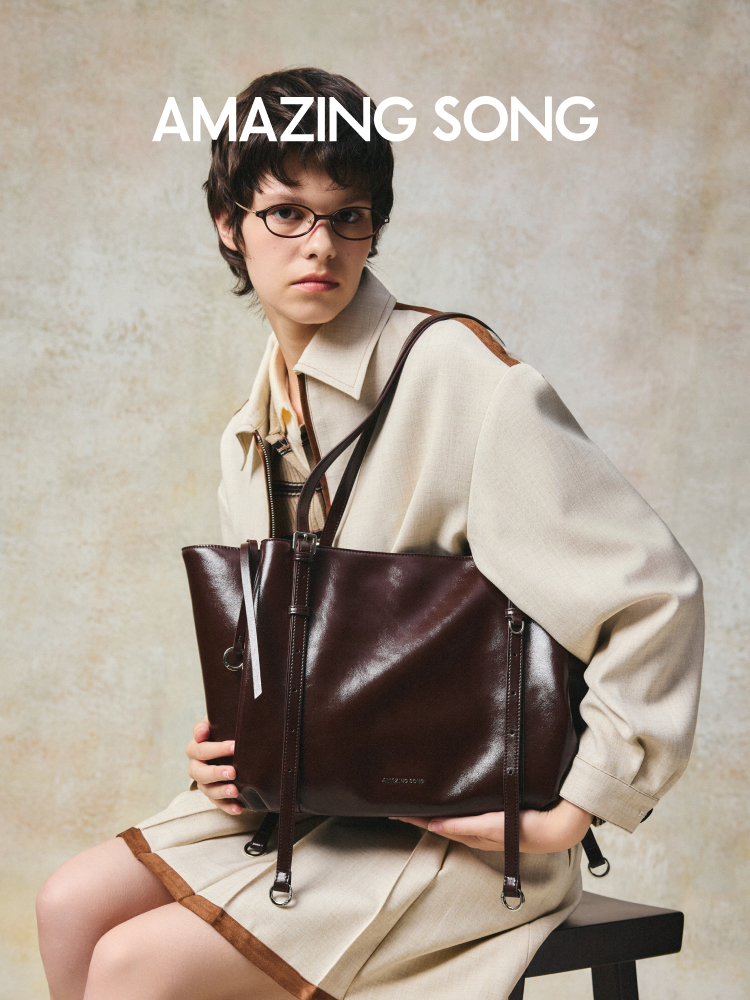
Si vous aimez les sacs fourre-tout qui font sensation avec une touche moderne et vibrante, Amazing Song est un bon point de départ — il suffit de le vérifier comme vous le feriez pour n'importe quel sac fourre-tout pour ordinateur portable.
Une vérification rapide de la réalité : les informations produit disponibles que nous avons extraites ne confirment pas systématiquement les dimensions intérieures ou une pochette rembourrée pour ordinateur portable sur tous les styles de sacs. Donc, au lieu de deviner, utilisez cette simple vérification :
Comparez la largeur/profondeur de votre ordinateur portable aux mesures intérieures du sac.
Assurez-vous que l'ouverture supérieure n'est pas plus étroite que la base.
S'il n'y a pas de pochette rembourrée, utilisez une pochette rembourrée pour ordinateur portable à l'intérieur.
Si le sac est souple, envisagez un insert organisateur ou un renfort de base pour la structure.
Erreurs courantes qui rendent les sacs pour ordinateur portable rapidement agaçants
Acheter « grand » au lieu d'acheter « juste »
Un sac fourre-tout peut être surdimensionné et échouer quand même si :
l'ouverture est étroite
la base est molle
l'ordinateur portable n'a nulle part où s'asseoir en toute sécurité
Laisser le métal + les objets lâches à côté de votre ordinateur portable
Pièces de monnaie, clés, chargeurs durs — ce sont de minuscules machines à rayer.
Ignorer le confort des bretelles jusqu'à ce que votre épaule vous le dise
Si vous transportez votre ordinateur portable quotidiennement, la hauteur et la largeur des bretelles sont plus importantes que vous ne le pensez. Si vous marchez beaucoup, choisissez des bretelles plus larges, plus douces et gardez la charge équilibrée.
FAQ
N'importe quel « grand sac fourre-tout » peut-il contenir un ordinateur portable de 13 pouces ?
Non. L'adaptabilité à l'ordinateur portable concerne les mesures intérieures + la structure, pas seulement l'étiquette « grand ». Vérifiez toujours les dimensions et assurez-vous que le sac ne se rétrécit pas trop vers le haut pour que vous puissiez y glisser l'ordinateur portable en douceur.
Ai-je besoin d'un compartiment rembourré pour ordinateur portable ?
Si votre sac n'a pas de pochette rembourrée, utilisez une pochette rembourrée pour ordinateur portable à l'intérieur. La protection et la fermeture sécurisée apparaissent constamment dans les critères d'achat, comme les conseils de Lenovo pour les sacs de travail.
Quelle hauteur de bandoulière est la plus confortable pour les déplacements ?
De nombreux sacs ont une hauteur de bandoulière d'environ 9 à 12 pouces, les hauteurs plus longues (environ 12 à 13 pouces) étant souvent plus faciles pour un porté épaule.
Prochaines étapes
Choisissez deux ou trois sacs fourre-tout qui s'adaptent à un ordinateur portable de 13 pouces sur le papier (mesures d'abord), puis choisissez celui qui correspond à votre trajet : fermeture éclair pour le transport, plus de structure pour les charges lourdes, et une hauteur de bandoulière qui repose confortablement sur votre épaule.